AI Email Add-in – Choosing What to Build Before Building It
GoFreight needed to validate a zero-to-one AI concept. Before committing to any architecture, I needed to figure out which direction we could actually test — and make it tangible enough that real companies would sign up for a beta.
7
Beta companies
12
Beta users
Zero
Production code before validation
30-second version
- GoFreight’s OP staff manually enter shipment data from emails into the system — we explored using OCR + AI to automate this
- Ran a wireframe workshop with 3 directions; guided the team to pick Email Add-in as the fastest to validate over more integrated options
- Built an interactive prototype with Cursor (not Figma) — tangible enough to recruit 7 companies and 12 beta users before any production code
- Beta revealed email client fragmentation: continuing would mean maintaining separate plugins for Outlook, Gmail, and others
- Pivoted the same job-to-be-done into GoFreight’s platform — users upload documents directly, same AI logic runs, no wasted engineering
Role
Lead Product Designer
Company
GoFreight (Freight Forwarding SaaS)
Year
2025
Platform
Outlook Add-in → Web Platform
Team
Myself · PM · 2 Engineers
GoFreight needed to validate a zero-to-one AI concept. We had three possible directions. Before committing to any architecture, I needed to figure out which one we could actually test — and make it tangible enough that real companies would sign up for a beta before a single line of production code was written.
Background
GoFreight is a freight forwarding management SaaS — it helps freight forwarders run their business, from shipment tracking and document management to invoicing and accounting. The people using it day-to-day are operations staff at freight forwarding companies, and a core part of their job is handling incoming emails and documents: arrival notices, invoices, bills of lading, each containing shipment data that needs to be entered into GoFreight manually. The goal of this project was to use OCR and AI to recognize that data automatically and fill it into the system, so OP staff wouldn’t have to.
The question wasn’t whether to build an AI feature — it was what form it should take, and whether teams would actually adopt it. As lead designer, my job was to help the team figure out what to build before committing to building it.
Choosing the right concept to test
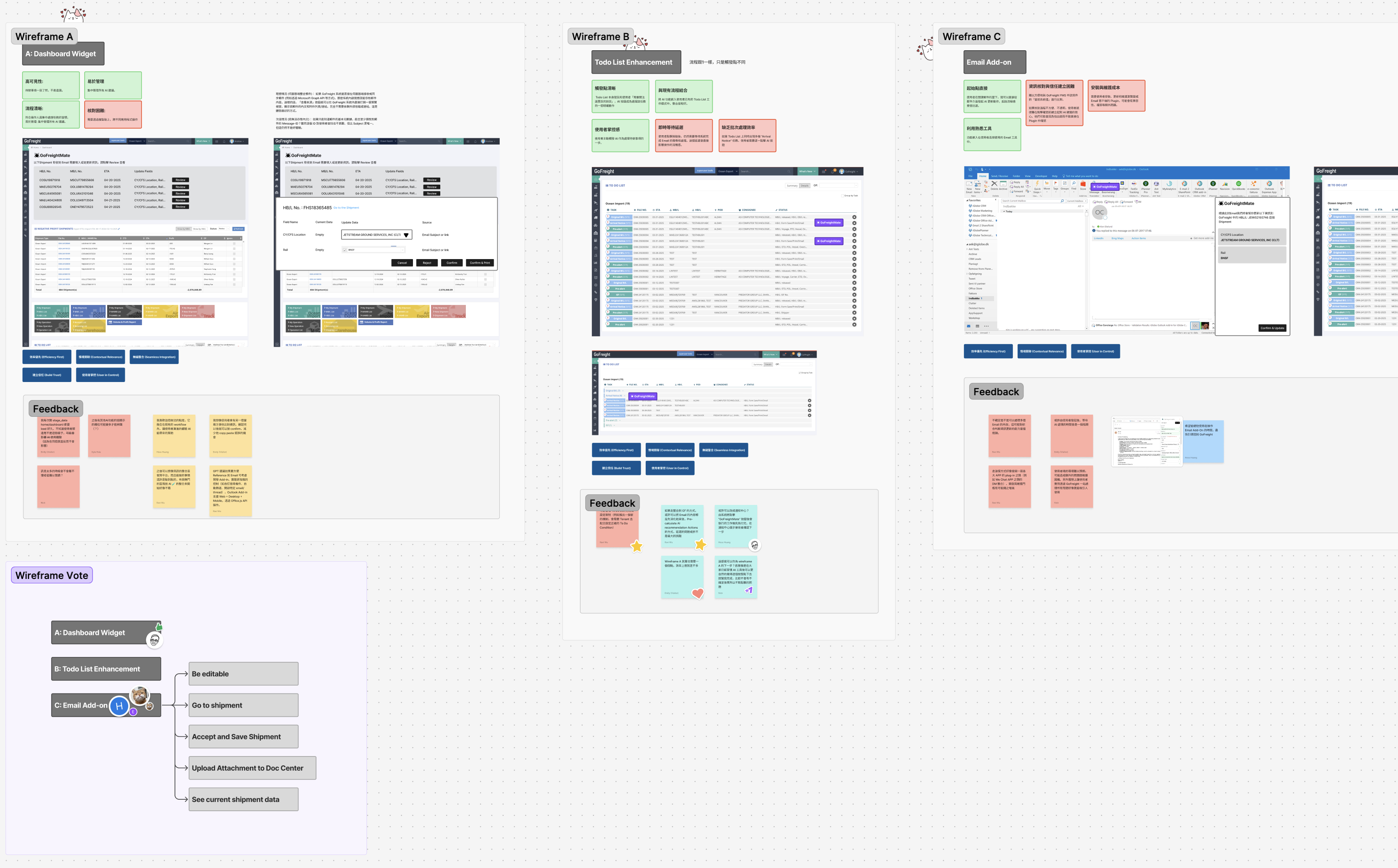
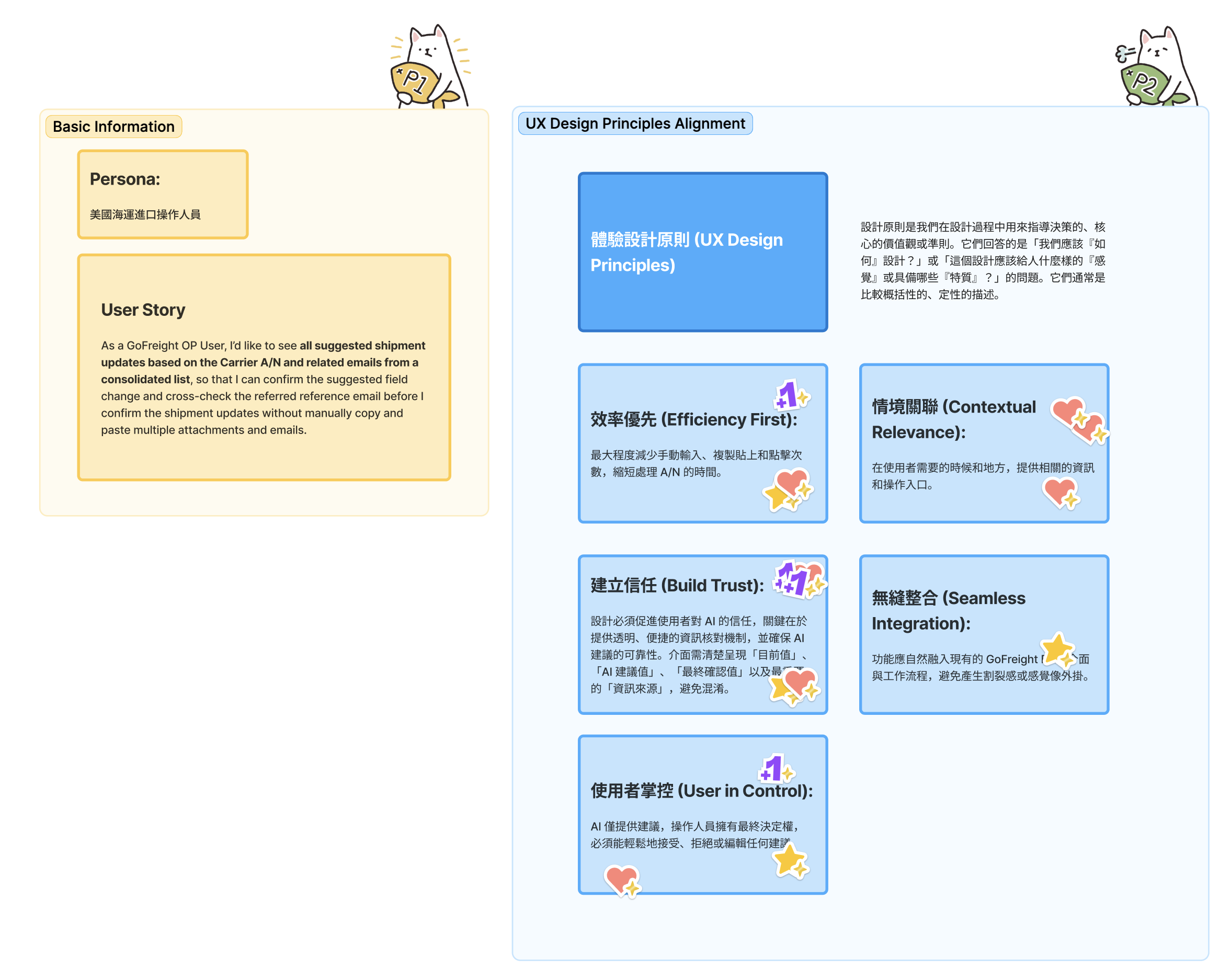
I ran a wireframe workshop with the PM and engineers. Before presenting options, we aligned on a persona and UX principles — including “User in Control” and “Build Trust”, both specific to AI adoption — so that design decisions later had a shared reference point rather than personal preference. Three options on the table:
Dashboard Widget
AI-assisted updates surfaced directly inside GoFreight, deeply integrated with the existing system. The “ideal” long-term vision.
Todo List Enhancement
Extending an existing feature with AI capabilities. Lower surface area, but constrained by existing structure.
Email Add-in
A standalone Outlook plugin that reads incoming emails, extracts shipment data, and syncs to GoFreight. More isolated, but addresses where the work actually happens.
The team’s instinct was toward A — full integration felt like the right long-term answer. I pushed on a different question: which of these could we put in front of users fastest, and which would leave us with the least wasted work if we needed to change direction?
Email Add-in won. It was the most isolated concept, which meant we could build a believable prototype without touching production systems. If we pivoted, nothing learned would be thrown away.
Making it real enough to test
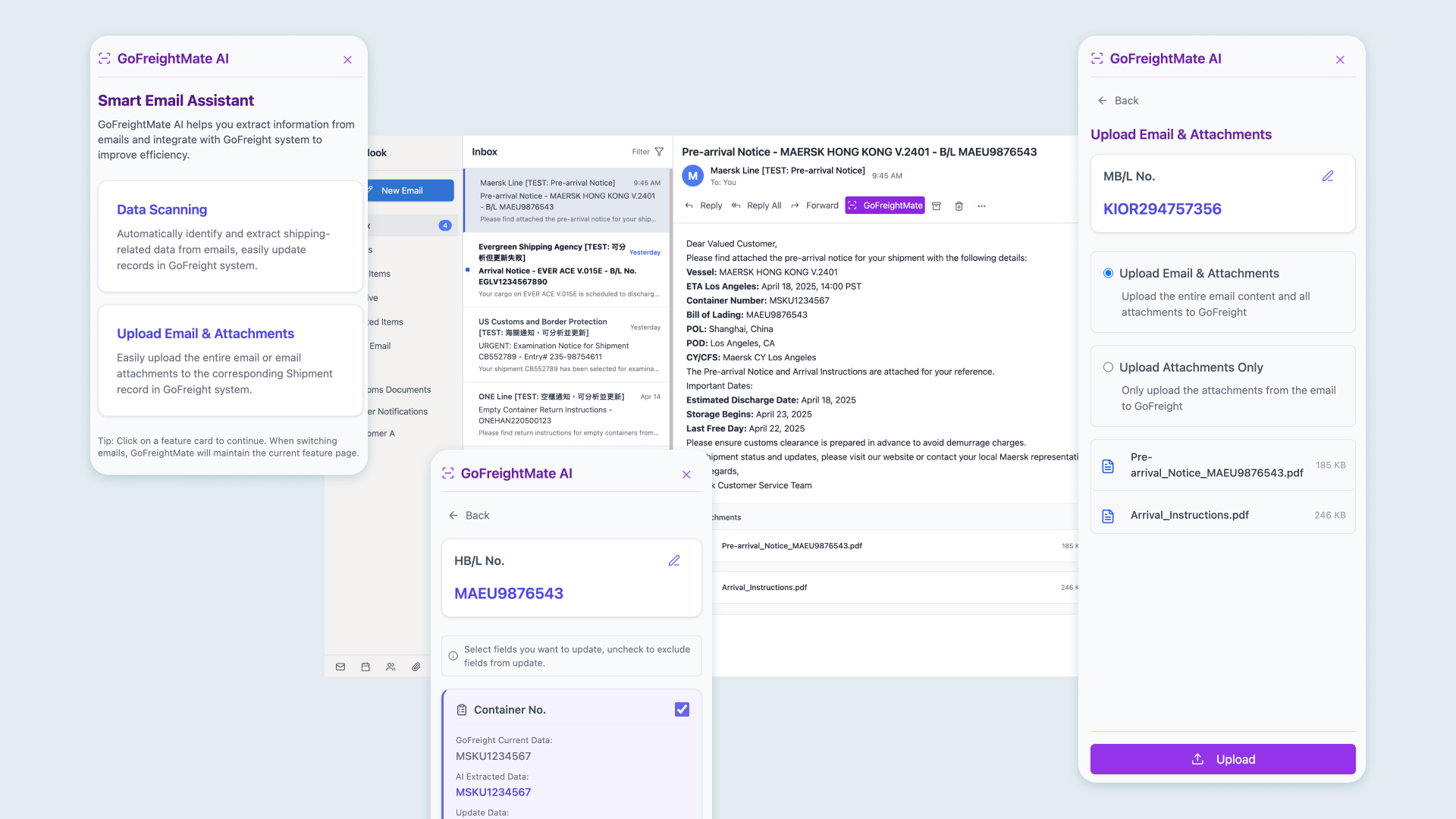
Most concept validation at this stage would be Figma prototypes. I built with Cursor instead — a fully interactive, browser-based experience that looked and behaved like an actual Outlook plugin.
The difference mattered. A Figma mock of an Outlook add-in looks like a Figma mock. Something that runs in a browser, mimics the Outlook sidebar, and responds to real interactions — that’s something a freight forwarder can actually imagine using. It was enough to lower the “is this real?” question and recruit companies before any production code existed.
Two core workflows in the prototype:
- Smart Data Update: AI parses the email to extract shipment fields (HBL/MBL, ETD/ETA, container numbers). The user reviews and confirms before anything syncs to GoFreight.
- Document Archival: One click sends the email thread and attachments to the correct shipment’s document center, labeled automatically.
What beta told us
7 freight forwarding companies, 12 users. We ran the beta through frequent user conversations rather than structured metrics — the goal at this stage was directional, not performance benchmarks.
The concept held. Companies were interested enough to participate, and users understood the value quickly. But one assumption didn’t survive contact with reality: we’d built for Outlook because we assumed that’s what freight forwarders use. Several beta partners were on Gmail.
If we continued down this path, every feature would need to be built twice — separate plugins for every major email client, maintained in parallel indefinitely.
What the beta revealed
7 companies · 12 users
Validated the concept — interest was real
Outlook ≠ all
Multiple beta partners were on Gmail, not Outlook
2× maintenance
Every feature = separate plugin per email client, forever
The pivot
We kept the job-to-be-done and dropped the delivery mechanism.
The core of the feature — parse a document, extract shipment data, sync to the system — didn’t require email at all. We moved it inside GoFreight: users upload an email or document directly through the platform, and the same extraction logic runs. No email client dependency, no plugin maintenance overhead.
Because the prototype had been kept isolated from production systems, the pivot required no rollback.
Before
Email Add-in
Outlook plugin — one codebase
Gmail plugin — separate codebase
Every new client = another plugin, maintained forever
After pivot
Platform Upload
Upload directly in GoFreight — any file, any source
Same AI extraction logic — one codebase
No plugin maintenance — ever
The feature is now in active development as a native platform capability.
What I took from this
The most expensive mistake in zero-to-one product work is committing to architecture before validating direction. The wireframe workshop wasn’t a UX exercise — it was a decision about which assumptions to test first and which risks to defer. The Cursor prototype wasn’t a technical choice — it was the minimum surface area needed to get real companies into a beta. The pivot wasn’t a failure; it was what the process was designed to surface.
The approach became GoFreight’s internal reference for how to run early-stage concept validation.